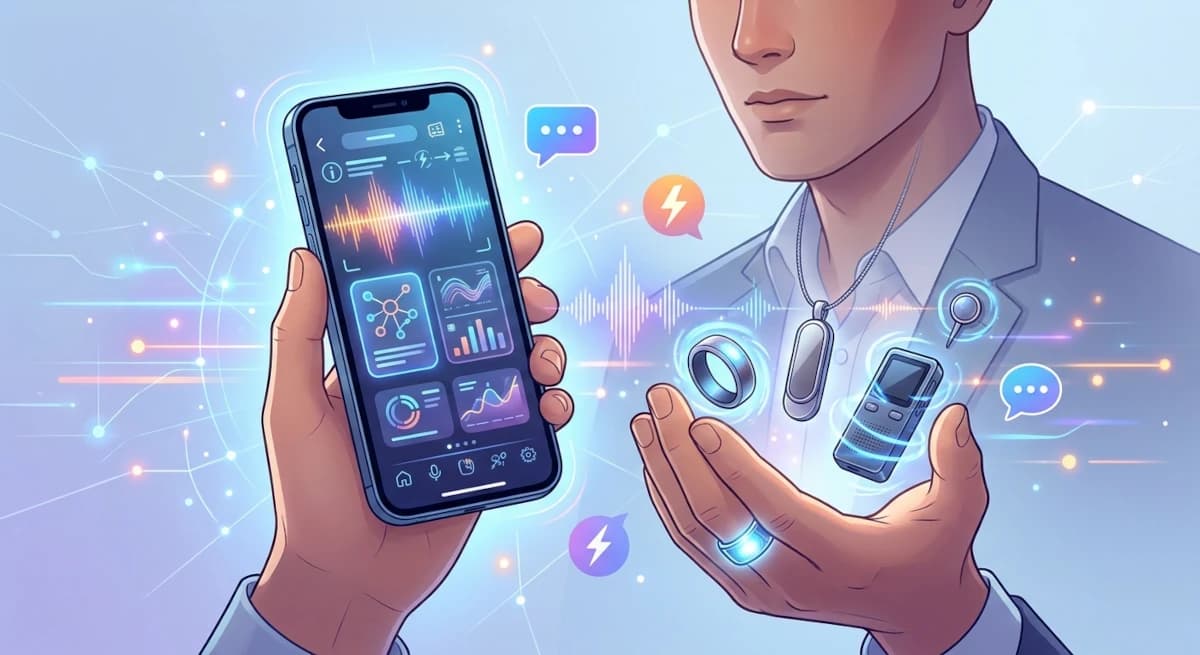
Before buying an AI recording ring, pendant, pin, or pocket recorder, try a slightly uncomfortable question: what does this device let you do that your phone cannot already do well enough?
That question matters because modern phones have quietly become capable recording tools. Depending on the model, operating system, language, and region, they can record speech, produce transcripts, search within recordings, and sometimes generate summaries. A dedicated AI recorder therefore has to justify more than its microphone. It has to justify a new object, another app, another battery, another account, and possibly another subscription.
The answer is not that dedicated recorders are pointless. They can be much easier to use in the exact moments when taking out a phone is awkward, distracting, or too slow. But the advantage is situational, not universal.
This is a buying guide, not a lab comparison of every phone and recorder. We are comparing the workflows and the trade-offs documented by manufacturers, platform support pages, independent reporting, and owner discussions.
The phone in your pocket is already a serious competitor
On supported iPhones, Apple Voice Memos can display speech transcription while recording or after a recording. Apple says transcription is available on iPhone 12 or later for a defined set of languages, while availability can vary by country or region. Users can copy a transcript and search across recording titles and transcribed text. Apple Intelligence can add writing and summarisation tools on supported devices and configurations, but those capabilities have separate device, language, and regional requirements.
Google's Pixel Recorder offers another useful baseline. Google's support documentation describes transcript creation and editing, language selection, search within recordings, and summaries. Support varies by Pixel generation and language. For example, Google lists Mandarin and Singapore English among the supported languages for Pixel 6 and later, but this does not mean every language combination or mixed-language conversation will be transcribed equally well.
These built-in tools change the buying calculation. If you mostly record your own thoughts, a class, or a planned conversation once in a while, your existing phone may already be enough.
The phone also has several practical advantages:
- You already own it, so there is no extra hardware cost.
- You know where recordings are stored and how to share them.
- You can use the screen to confirm that recording has started.
- You can often edit, rename, delete, or move a file using familiar tools.
- You do not need to learn another wearable's controls or charging routine.
For many buyers, that is the right answer. A new device should solve a real friction point, not merely make a familiar feature look futuristic.
What a dedicated recorder can add
A dedicated recorder is most useful when it changes the capture experience.
1. One deliberate action instead of opening an app
A button on a ring or wearable can be faster than unlocking a phone, finding an app, and checking the recording screen. This matters when a thought appears while walking, cooking, carrying something, or speaking with someone. The difference may be only a few seconds, but those seconds are often where a thought gets lost.
Pebble describes Index 01 as a ring for short spoken notes, reminders, and questions. Its help centre is unusually clear about the boundary: a recording must be longer than one second and cannot exceed two minutes. The device is designed for short thoughts, not for recording meetings. This is a good example of matching the product to a narrow job instead of assuming that every voice ring should be a tiny conference recorder.
Owner discussions reflect that distinction. Some Index 01 users say that saving a quick reminder without taking out a phone is the reason they use it. Others report accidental presses, sizing frustrations, or inconsistent pairing experiences. These are individual reports rather than a failure-rate study, but they point to the real question: does the physical shortcut make your own routine easier often enough to justify wearing it?
2. A microphone that is placed for the task
A phone is usually on a table, in a pocket, or in your hand. A wearable can sit closer to your mouth or remain positioned on your body. A purpose-built recorder may also offer a dedicated microphone arrangement and a physical recording control.
That does not mean a wearable always records better. A ring close to your mouth may be convenient for a short voice note but poorly positioned to capture several people around a meeting table. A clip or pendant may be more practical for a conversation, while a recorder placed near the group may pick up distant speakers more evenly. Room acoustics, background noise, clothing, microphone direction, and distance still matter.
Do not treat a manufacturer's stated recording range as a guarantee of accurate transcripts in every room. A microphone can capture sound without capturing every word clearly enough for reliable transcription.
3. Capture without turning the phone into the centre of the interaction
There are moments when looking at a phone changes the social interaction. In a meeting, it can look as though you are checking messages. During a conversation, it can signal that your attention has moved elsewhere. During a lecture, taking out a phone may distract you or the people around you.
A small recorder can reduce that friction. PLAUD NotePin S, for example, is positioned as a hands-free wearable capture device and provides several ways to wear it. Its Singapore storefront lists a free Starter plan with 300 transcription minutes per month, with paid plans offering higher allowances. This is a more meeting-oriented workflow than a short-note ring.
A dedicated device is still visible technology. A discreet form factor does not remove the need to tell people when you are recording or to follow workplace, classroom, and local rules.
4. A workflow designed around what happens after recording
The most important difference may not be audio quality. It may be the path from recording to something you can use.
A good recorder workflow should make it easy to:
- Confirm that the recording has started.
- Mark an important moment without interrupting the conversation.
- Find the transcript later.
- Correct names, numbers, and mistaken words.
- Export or move the result into a tool you already use.
- Delete the raw audio and derived notes when you no longer need them.
If a product records accurately but traps the transcript in an app you rarely open, it may not be better than your phone. A device earns its place when the entire loop is simpler.
Phone vs dedicated AI recorder: which fits your use?
| Your situation | Start with | Why |
|---|---|---|
| You occasionally record your own thoughts | Your phone | No additional device, charging, or account is needed |
| You take short reminders throughout the day | Phone shortcut or a voice-note ring | A one-action physical control may reduce friction |
| You record planned lectures or meetings | Phone first, then compare a dedicated recorder | Test microphone placement and transcript quality before buying |
| You need to record while your phone stays away | A dedicated recorder | It can offer a separate physical control and on-device storage |
| You want speaker labels, summaries, and follow-up workflows | Compare the software first | The app, transcript quality, exports, and limits matter more than the form factor |
| You need to capture phone calls | Check your phone's regional call-recording support and the law | Many wearable recorders are designed for room audio, not phone-call capture |
| You want to remember spontaneous ideas while moving | A ring, pendant, or other one-action wearable | The main benefit is capture convenience, not necessarily better AI |
The key is to test the simplest solution first. Record a typical conversation with your phone. Listen to the result. Check the transcript in the language you actually use. Search for one specific detail. Try moving the transcript into your task or notes app. If that process is already good enough, you have saved yourself money.
When buying a dedicated AI recorder makes sense
A separate device becomes more compelling when at least one of these statements is true:
- You regularly miss thoughts because opening your phone interrupts what you are doing.
- You record several hours of planned conversations each week and need a repeatable review process.
- You need a physical control that makes recording status obvious to you.
- Your current phone struggles with the placement or environment in which you record.
- You need a workflow that reliably sends marked moments, transcripts, or action items to another tool.
- You have tested your phone and can point to a specific limitation, rather than buying because the wearable looks interesting.
The last point is important. A device that captures more audio is not automatically a device that helps you remember more. More recordings can create a bigger archive that nobody searches.
When your phone is probably enough
Do not buy a dedicated recorder just because it says “AI.” Your phone is probably enough if:
- You only record occasionally.
- You are comfortable opening Voice Memos or Recorder.
- You rarely need to capture a conversation without touching your phone.
- Your recordings are short and easy to find.
- You do not need automatic speaker separation or complex meeting summaries.
- You are not sure what you would do with the transcripts after they are generated.
A useful test is to keep a simple log for a week. Each time you wish you had captured something, note what stopped you: the phone was in a bag, you did not want to interrupt the conversation, you forgot to open the app, the microphone was too far away, or the transcript was difficult to search. Buy hardware only if the same friction appears repeatedly.
The hidden cost is another workflow
A wearable recorder adds more than its purchase price. You may need to charge it, wear it, keep it paired, maintain its app, manage cloud storage, pay for transcription, and remember to export important information. Some devices can record offline and sync later; others rely more heavily on the phone connection. Read the setup and support documentation before buying.
Pebble's documentation, for example, explains that Index 01 transfers recordings to the phone and that the ring is intended for short notes rather than long recordings. Its FAQ also explains the pairing and transfer process. That is useful detail because it tells you what the product is designed to do, not just what its marketing category suggests.
For longer meetings, compare dedicated recorders such as PLAUD NotePin S with your phone's built-in recorder. For quick reminders, compare Pebble Index 01 with a phone shortcut. These are different jobs, so they should not be judged by the same test.
Our view: buy the missing interaction, not another AI label
The personal AI market often presents hardware as if a different shape automatically creates a different capability. Sometimes it does. A wearable can make capture more immediate. A desktop robot can make interaction more present in a room. A phone can provide a screen, connectivity, and a familiar place to review information.
But the underlying software still has to do the hard work: preserve the right context, make it easy to retrieve, let you correct errors, and help you decide what deserves action.
For most consumers, the sensible sequence is:
- Try the recording and transcription tools already on your phone.
- Identify a repeated moment when the phone gets in the way.
- Choose a device whose physical interaction solves that moment.
- Check that the software can export, search, and delete your information in a way you trust.
A dedicated AI recorder is worth buying when it removes a recurring friction point. It is not worth buying simply because your phone's microphone has been given a new competitor.
For a product-by-product comparison, see our guide to the best AI recording rings and wearables in 2026. If you are more interested in the value of captured information, read how an AI wearable might help you remember everyday conversations.
Sources and editorial notes
Platform features and device behaviour were checked against manufacturer support documentation on November 9, 2026. Availability varies by device model, language, operating-system version, and region. Community reports are individual experiences, not representative reliability tests. This is a research-based guide, not a hands-on test of every device.
- Apple Support: View a Voice Memos transcription on iPhone
- Google Pixel Help: Create, edit, and manage transcriptions
- Pebble Index 01 FAQ and tips
- Pebble Index 01 getting started guide
- PLAUD NotePin S official product and plan information
- Pebble Index 01: first impressions from an owner
- Pebble Index 01: owner review after use