One of the easiest ways to make a robot sound intimidating is to start talking about code.
Repositories.
SDKs.
Simulation.
Reinforcement learning.
Policies.
Deployment.
Suddenly a product that looked like a fun little desktop robot sounds like a university robotics project.
So let's answer the useful question first:
No, you do not need coding to use MicroDuck.
But there is a much more interesting second question:
How much can you do with the robot before coding becomes useful?
That answer depends on what you want the robot to become.
You Can Use MicroDuck Without Programming
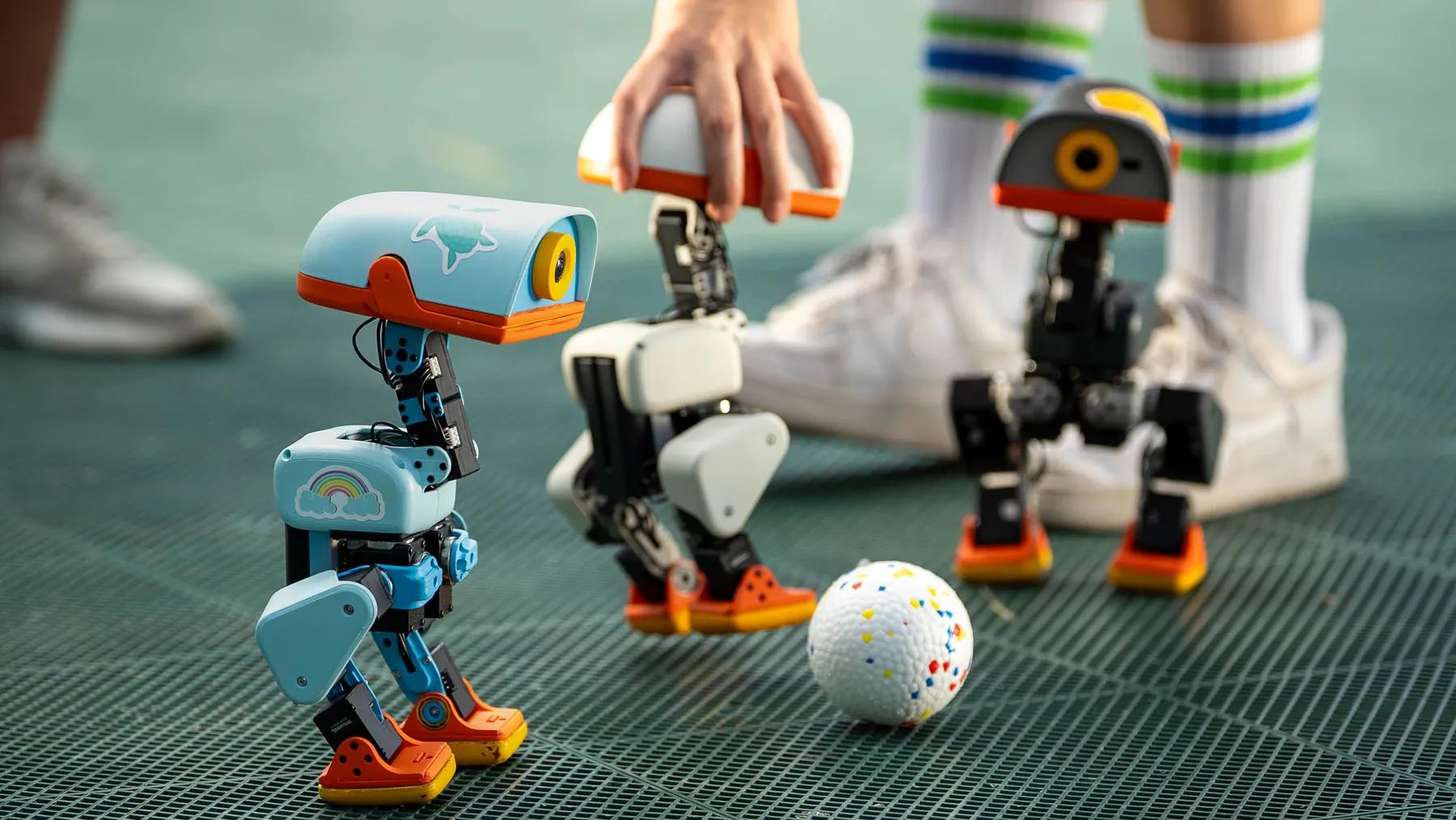
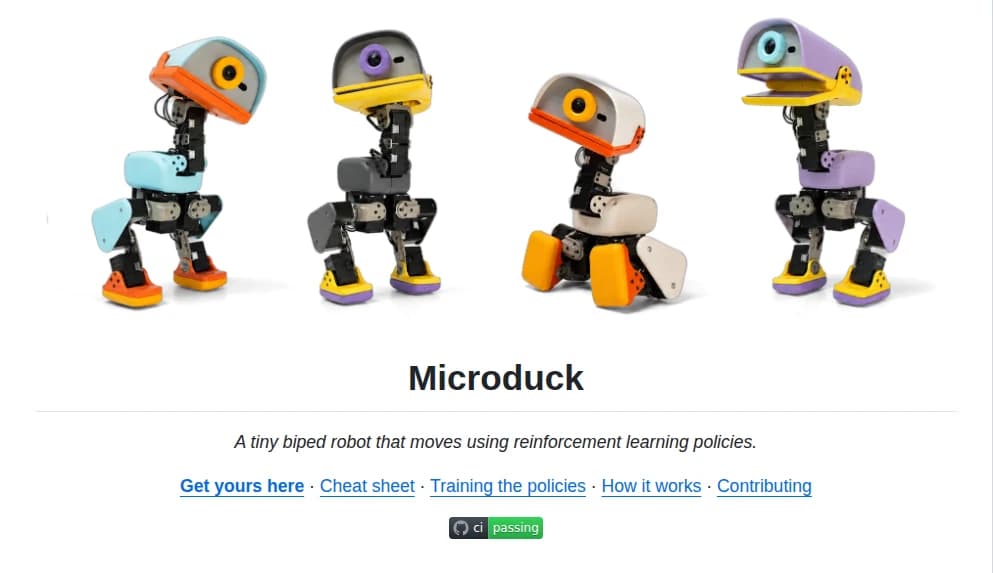
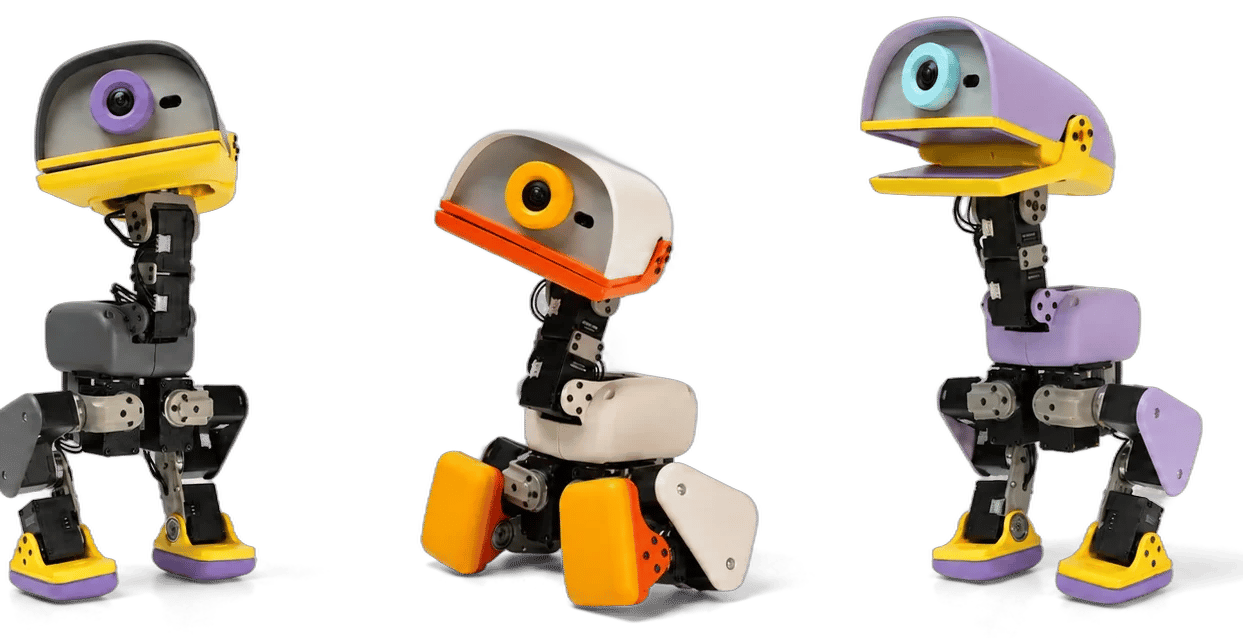
MicroDuck is designed to be playable out of the box.
The standard package includes the robot, a battery, a USB-C cable, and a game controller.
The robot already has trained behaviors that let it walk, sit, stand, grasp, kick, roll, and recover from a fall.
You can interact with those behaviors without understanding reinforcement learning or opening a source-code editor.
That distinction matters.
There are plenty of products where "programmable" is technically true but practically irrelevant because the product is unusable until you know how to program it.
MicroDuck takes a different approach.
The easy layer comes first.
The technical layer is underneath it.
Level 1: Just Use the Robot
At the first level, MicroDuck is simply a physical product.
You can:
- control it with the gamepad
- try its built-in behaviors
- move it around your space
- interact with objects
- experiment with the roller attachment
- show it to someone else
- discover what the robot can already do
None of this requires you to understand:
- reinforcement learning
- MuJoCo
- ONNX
- robotics control
- neural networks
You are using the result of those technologies rather than building them.
That is an important distinction for consumer physical AI.
A product should not require its user to understand the underlying intelligence before the user can experience the product.
Level 2: Start Experimenting With the Software
The boundary changes when you stop asking:
"What can this robot do?"
and start asking:
"Why does it do that?"
MicroDuck is unusual because much of the software stack is open.
The official MicroDuck repository contains the robot runtime and supporting software, while Pollen's separate reinforcement-learning repository contains the environments used to train the robot's policies.
The public software includes simulation tools, robot control utilities, deployment tooling, and the reinforcement-learning workflow used to produce the behaviors that run on the physical robot.
At this point, coding becomes useful.
Not necessarily because you need to build a robot from scratch.
Instead, you are beginning to understand and modify the software layer that already controls the robot.
That can mean:
- exploring the runtime
- running the simulator
- driving the robot from a computer
- changing configuration
- testing development builds
- inspecting how the robot's software components communicate
- experimenting with existing policies
The important thing is that you can move gradually from user to experimenter.
Level 3: Train New Behaviors
This is where things become genuinely technical.
Pollen's current training stack uses MuJoCo-based simulation and reinforcement learning to train MicroDuck policies.
The policies are trained at 50 Hz, exported to ONNX, and then deployed to the runtime running on the real robot.
That gives you a very different workflow from normal application development.
You are not simply writing:
if user_clicked:
    do_something()
You are teaching a physical system how to produce movement.
The basic loop is closer to:
simulation
    ↓
train a policy
    ↓
evaluate
    ↓
export
    ↓
deploy
    ↓
test on the real robot
    ↓
refine the simulation
    ↓
train again
That is a robotics development problem.
And no, most people buying a desktop robot should not be expected to do this.
But the fact that the path exists is part of what makes MicroDuck interesting.
The Simulator Changes the Equation
One of the most important parts of MicroDuck's software stack is that you do not always need the physical robot sitting beside you.
Pollen's simulation tooling runs the same major robot daemons and control interfaces against a MuJoCo body instead of the physical hardware.
The official documentation describes the goal explicitly: develop against a simulated duck using the same control loop, policies, robotctl, and system interfaces used by the real robot.
That is important for two reasons.
First, it makes experimentation cheaper.
You can test ideas before sending them to a physical robot.
Second, it changes what "owning a robot" can mean.
The software platform can exist before the hardware is actively moving on your desk.
That makes physical AI increasingly similar to other software platforms.
The physical machine is the deployment target.
The development environment can exist somewhere else.
Coding Is Only One Part of the Technical Problem
It is tempting to describe the advanced layer as:
"You need to know how to code."
That is too simple.
Once you start modifying a robot, several different skills become relevant.
You may need to understand:
Software
How the runtime works.
How processes communicate.
How commands reach the robot.
How updates are installed.
Robotics
How motors, sensors, kinematics, balance, and control interact.
Simulation
How a digital model approximates the physical robot.
Machine learning
How policies are trained.
How rewards affect behavior.
How training can fail.
Hardware
What happens when simulation and reality disagree.
A policy that works beautifully in simulation can still fail on the physical machine.
That is why the MicroDuck project's training documentation spends so much attention on sim-to-real details rather than treating simulation as a perfect substitute for hardware.
So the real barrier is not:
"Can you code?"
It is:
"How deep do you want to go into physical AI?"
What a Non-Programmer Can Still Get From the Open Software
There is another reason the open-source layer matters.
You can benefit from software without writing it.
Suppose another developer creates a new behavior.
You do not need to understand the training process to use the result.
Suppose someone builds a better interface.
You can use the interface.
Suppose someone creates a game.
You can play it.
Suppose someone connects the robot to another AI system.
You can experience the result without building the integration yourself.
This is the same basic reason software ecosystems are valuable for normal users.
The people building the platform and the people using the platform do not have to be the same people.
That distinction could become particularly important for physical AI.
Physical AI Needs Both Kinds of Users
A closed consumer product can be easier to understand.
You buy it.
You use it.
The manufacturer decides what it can do.
An open physical AI platform can work differently.
One group builds.
Another group uses.
A developer may spend fifty hours creating a behavior that takes an ordinary owner thirty seconds to install.
The owner sees:
"My robot can now do something new."
They do not necessarily see:
"Someone spent days debugging a reinforcement-learning policy."
That is healthy.
A physical AI ecosystem does not need every owner to become a robotics engineer.
It needs enough builders to create things other people actually want.
The Three User Types
I think there are really three MicroDuck users.
The owner
You want a small robot.
You want to control it.
You want to see what it can do.
You may never touch the source code.
You are still a legitimate user.
The experimenter
You want to understand how the robot works.
You want to run the simulator.
You want to inspect the software.
You want to change small things.
You may not want to train a completely new policy yet.
This is where basic programming knowledge starts becoming valuable.
The builder
You want to create new physical behavior.
You are comfortable with simulation, machine learning, robotics, debugging, and deployment.
You are not really just using the robot anymore.
You are extending it.
All three are valid.
The mistake is assuming that everyone who buys the robot needs to become the third type.
Do You Need Coding to Make MicroDuck More Intelligent?
Not necessarily.
This is another distinction worth making.
The robot's intelligence is not one thing.
There can be:
- perception
- behavior
- planning
- language
- memory
- control
- physical interaction
A language model can make the robot better at conversation.
A memory system can give it continuity.
A perception model can help it interpret its environment.
A new policy can change its physical movement.
An application can combine all of those pieces.
So "making the robot smarter" does not always mean training a new locomotion policy.
It might mean building a better software layer around an existing physical platform.
That is where the broader physical-AI category gets interesting.
The Brain and the Body Are Separate Problems
A small robot may have a fixed body.
That body determines:
- how many motors it has
- what it can physically reach
- what sensors it carries
- how fast it can move
- how much weight it can carry
- how much power it has
But software determines what that body can express.
That software could include:
- a control policy
- a perception system
- a language interface
- a memory system
- an application
- an agent
- a collection of these systems working together
This means a robot can remain physically the same while its behavior changes dramatically.
And that is why I think the most interesting future for desktop robots may not be defined purely by hardware specifications.
It may be defined by the quality of the software layer sitting above the hardware.
This Is Why MicroDuck Is More Interesting Than "A Robot That Can Walk"
If you only look at MicroDuck as a small biped, the product story is fairly simple.
It walks.
It grasps.
It rolls.
It kicks.
It gets back up.
That is fun.
But the deeper story is:
the behavior is software.
And software can be retrained.
The official MicroDuck project publishes the runtime.
The RL project publishes the training environments.
The simulator lets developers work without the physical robot.
The policies can be exported and deployed.
The whole thing creates a path from:
physical hardware
to:
simulation
to:
learned behavior
to:
real-world behavior.
That is much closer to a software platform than a conventional toy.
Should You Learn Coding Before Buying a Robot?
No.
I would actually recommend the opposite.
If the physical product does not interest you without the software story, do not buy it because you think you should learn robotics.
The hardware should make you curious first.
Then let curiosity determine how deep you go.
You might spend months using the robot without touching the source code.
You might eventually open the repository because you want to understand something.
Then you might run the simulator.
Then you might modify an existing behavior.
And maybe much later you try training something yourself.
That is a much healthier learning curve than buying a robot and immediately assuming you need to become an expert.
When Coding Becomes Worth Learning
I would start learning once you have a question that the normal interface cannot answer.
For example:
"Can I change how this behavior works?"
Or:
"Can I make the robot react to this?"
Or:
"Can I connect the robot to my own AI system?"
Or:
"Can I teach it a new movement?"
At that point, coding is no longer an abstract skill you are studying for some future project.
It becomes a tool for answering a question you already care about.
That is when learning tends to become much more useful.
The Bigger Question for Desktop Robots
The more interesting question is not:
"Do desktop robots require coding?"
It is:
"How much of a desktop robot's experience should be defined by software rather than fixed hardware?"
A traditional gadget is mostly finished when you buy it.
A software-defined robot can be different.
Its body may remain the same.
But its capabilities can evolve through:
- new models
- new behaviors
- new integrations
- new memory systems
- new applications
- community-created software
That model can apply to far more than MicroDuck.
It can apply to companion robots.
It can apply to wearable AI.
It can apply to robotic toys.
It can apply to future home robots.
The hardware gives the AI somewhere to exist.
The software determines what that physical interface becomes.
My Take
No, you do not need coding to enjoy MicroDuck.
You need coding when you want to move from using the robot to changing the robot.
And you need substantially more than coding when you want to train new physical intelligence.
That is not a weakness.
It is actually one of the most interesting things about the product.
The entry point is simple:
pick up the controller and play.
The next layer is:
inspect the software and experiment.
The deepest layer is:
simulate, train, deploy, and refine new physical behavior.
That progression is what makes an open physical AI platform different from a normal smart gadget.
You do not have to become a robotics engineer to enjoy it.
But if the robot makes you curious enough to become one, the software is already there waiting for you.