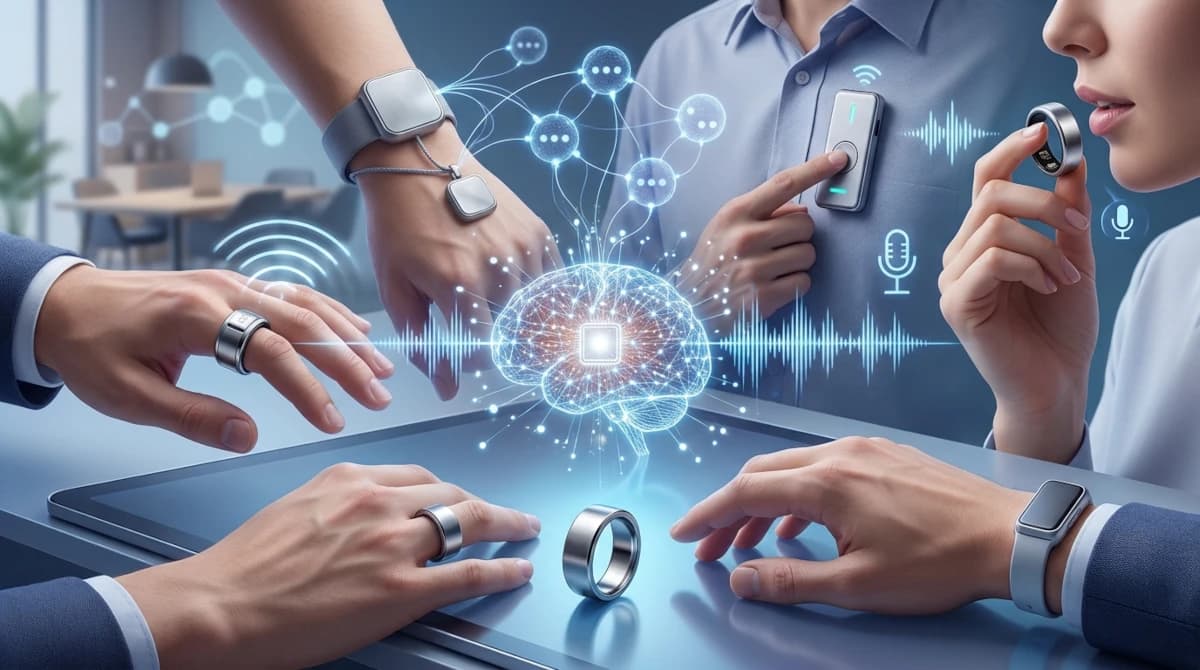
A useful AI recorder should do more than capture audio. It should make an important thought, decision, or promise easier to recover later, without adding another complicated habit to your day.
That sounds simple, but the products in this category take surprisingly different approaches. Vocci is built around recording conversations and meetings from a ring. Pebble Index 01 is closer to an external memory button for short thoughts. Memoket Gem records longer real-world conversations and tries to connect context across sessions. PLAUD NotePin S is a more conventional wearable meeting recorder. WIZPR Ring, despite often appearing in the same conversation, is primarily a near-field voice interface for talking to AI, not a conventional meeting transcription device.
That distinction matters more than the shape of the hardware.
This guide compares the five products by their intended job, capture workflow, software, recurring costs, and the compromises that are easy to miss on a product page. It is a research-based buying guide, not a five-device hands-on test. Product specifications come from manufacturer material; experience notes are identified as independent reporting or individual community reports.
Quick verdict: which one should you look at?
| Device | Best fit | Price shown by the maker | Main trade-off |
|---|---|---|---|
| PLAUD NotePin S | Best all-round wearable recorder | US$179 | A focused recording device with transcription limits and a companion-app workflow |
| Memoket Gem | Best for connecting context across conversations | US$199 | Its strongest features depend on cloud processing and a paid tier may be needed for heavier use |
| Vocci AI Ring | Best if you specifically want a ring for meeting capture | About US$229 shown on the product page | Shorter claimed recording time and an app that independent testing found less polished |
| Pebble Index 01 | Best for quick thoughts without a subscription | US$75 shown on the product page | It is for short voice notes, not recording full meetings; its battery is not rechargeable |
| WIZPR Ring | Best considered as a discreet AI voice interface | US$139 campaign price / US$199 stated MSRP; current checkout price unclear | It is not primarily an AI meeting recorder, and current availability needs checking |
Prices and plans can change by region, promotion, and date. The figures above are the public prices visible in the sources checked for this article on November 9, 2026. They are not a guarantee of local checkout pricing, taxes, shipping, or stock.
The first question is not “Which ring has the most AI?” It is “What do I actually need to remember?”
- If you need a reliable record of planned meetings, start with PLAUD NotePin S or Memoket Gem.
- If you want to connect the context of several conversations over time, look closely at Memoket Gem.
- If you want a small ring that captures short thoughts when you press it, compare Pebble Index 01.
- If you specifically want a ring that can capture longer conversations, consider Vocci, but read the software and privacy caveats.
- If you want to speak quietly to an AI assistant rather than build a searchable archive of meetings, WIZPR is a different kind of product.
1. PLAUD NotePin S: best all-round wearable recorder
Best for: People who want to record in-person meetings, interviews, classes, and work conversations without holding a phone.
Official price checked: US$179.
PLAUD NotePin S is the most straightforward recommendation for someone who is shopping for a wearable recorder first and an AI assistant second. It is a small recording device with several ways to wear it: as a pin, clip, lanyard, or wristband. That flexibility matters because the best recording position is often the one you will actually keep using.
PLAUD lists up to 20 hours of continuous recording, 40 days of standby, 64GB of storage, two MEMS microphones, speaker labels, and transcription in 112 languages. The Starter plan includes 300 minutes of AI transcription per month. The maker also promotes summaries, templates, Ask Plaud, and desktop recording through its software ecosystem. NotePin S does not record phone calls; it is intended for in-person capture.
The physical highlight button is more important than it might sound. During a long class or meeting, you may not need every sentence to have equal importance. Being able to mark a moment while it happens can make the later review process much faster than searching through an hour-long transcript.
A Reddit user who said they wore NotePin S to around 60 lectures during a semester highlighted that feature as particularly useful. They could tap when a professor said something important, then jump back to the marked moment later. The same user noted a limitation: transcription became less reliable from the back of a large auditorium. That is one person's experience, not a controlled test, but it illustrates an important rule for every recorder here: microphone placement and distance still matter. AI cannot reliably reconstruct speech that the device barely captured.
Why choose it: It is the most balanced choice if you want a recognisable wearable recording workflow, multiple wearing options, long rated recording time, and an established transcription product.
Why skip it: If your main need is to capture five-second thoughts throughout the day, a meeting recorder may be more hardware and subscription structure than you need. You should also check whether 300 free minutes per month is enough for your actual recording habits. Heavy users may need a paid plan.
Official details: PLAUD NotePin S. Community example: a NotePin S user’s semester-long lecture report.
2. Memoket Gem: best for connecting context across conversations
Best for: People whose work and daily life involve repeated conversations with the same clients, colleagues, students, or collaborators.
Official price checked: US$199, with a free Starter plan.
Memoket Gem is a small recording unit that can be worn as a wristband, alongside an Apple Watch with the co-wear band, as a pendant, or as a clip. The device weighs about 11 grams and the company rates it for up to 20 hours of continuous recording. Its two microphones are advertised with a capture range of up to 5 metres, and the official specifications list up to 300 hours of on-device audio storage.
The part that makes Memoket different is not the wristband. It is the software idea behind it: cross-conversation memory.
A conventional AI notetaker usually treats each recording as a separate document. Memoket aims to connect related details across different sessions. For example, if you discussed a delivery date with a client last week and revisited the project today, the point is to ask about the combined history rather than remember which meeting contained the detail.
That is a meaningful difference. A transcript tells you what was said in one conversation. A useful personal memory system should help you understand what changed between conversations, what remains unresolved, and what you promised to do next.
The official Starter plan includes 300 transcription minutes per month without a recurring fee. Memoket also sells higher tiers for people who need more processing time. The device and service support integrations with tools such as calendars, Notion, Slack, ChatGPT, and Claude. This makes Gem more ambitious than a simple audio recorder, but it also means buyers should understand where audio and derived information are processed. Memoket’s privacy information says recordings and related content are stored in AWS and that transcription and summarisation involve third-party providers. The company says it does not use recordings, transcripts, or summaries to train AI models without explicit advance consent. Read the current privacy policy rather than relying only on the phrase “private by design.”
An independent hands-on review by NationalWorld praised the device's lightweight feel, recording control, speaker separation, and cross-conversation feature. The reviewer also questioned the price and the cost of upgrading for heavier transcription use. Those are useful observations, but one review does not establish how well Gem performs for every accent, room, or recording position.
Why choose it: Choose Gem if you do not just want transcripts. You want a searchable record that can connect recurring topics, decisions, and action items across several conversations. That is the most compelling software proposition in this group.
Why skip it: Do not buy it expecting a screenless AI assistant that handles everything. Gem has no display, does not provide notifications, and does not record phone calls. Its transcription and summaries depend on its app and service. If you only record occasionally, the free Starter allowance may be enough; if you record heavily, calculate the annual subscription cost before buying.
Official details: Memoket Gem, Memoket FAQ and plan details, and Memoket privacy policy. Independent hands-on review: NationalWorld’s Memoket Gem review.
3. Vocci AI Ring: best ring specifically for meeting capture
Best for: People who want a recorder on their finger and prefer not to wear a pin, clip, pendant, or wristband.
Official price checked: The product page displayed about US$229 when checked; TechCrunch reported a US$249 price in its September 2026 hands-on coverage. Confirm the current checkout price.
Vocci puts a meeting recorder into a titanium-finished ring. Its central interaction is simple: double-tap to start recording, double-tap again to stop, and use a press-and-hold gesture to ask Vocci AI a question. The product page lists up to eight hours of continuous recording, IP67 water and dust resistance, a weight of roughly 3–5 grams depending on size, and support for iOS and Android.
Vocci offers a free Starter plan with 300 transcription minutes per month. Paid plans increase transcription minutes, AI-agent usage, and cloud storage. The company also promotes integrations and MCP support, positioning the ring as a way to make recorded conversations available to other AI tools.
The most useful independent evidence comes from TechCrunch’s hands-on report. The reviewer recorded conversations lasting over an hour in noisy cafés and said most of the conversation was transcribed accurately. But they also found the app confusing, felt that summaries for short notes could be longer than the original notes, and said the platform’s integrations and workflow features were still developing. In other words, the physical capture experience looked more convincing than the software experience at the time of that review.
A separate Reddit user described a different kind of value: keeping the ring on their finger made it easier to remember to start recording before a meeting, compared with a phone or recorder left in another room. They used it for work tasks, errands, and quick notes for later journaling. That is a useful user story, but it is a single self-reported experience rather than evidence of a general productivity effect.
There is also a privacy trade-off that deserves more attention than it usually gets in product marketing. A ring can look like ordinary jewellery, and TechCrunch noted that the recording indicator faces the wearer. A visible control on the device is not the same as making everyone in a conversation aware that recording is taking place. If you record other people, tell them and follow the rules that apply where you are.
Why choose it: Vocci is the most interesting option here if you specifically want a ring-shaped device that can record a planned meeting rather than only a short voice memo.
Why skip it: At this price, you should expect the companion software to be polished. The published hands-on review identifies weaknesses in the app and workflow. Also, eight hours is a lower rated continuous recording time than the 20-hour figures advertised by PLAUD and Memoket.
Official details: Vocci AI Ring. Independent hands-on report: TechCrunch, September 20, 2026. Community example: a Vocci owner’s work and everyday-use report.
4. Pebble Index 01: best for quick thoughts with no subscription
Best for: People who frequently think of small things they need to remember and want to capture them without taking out a phone.
Official price checked: US$75 shown on Pebble’s product page.
Pebble Index 01 is deliberately simpler than the other products here. It is a stainless-steel ring with a button and microphone. You press and hold the button, whisper a thought, and the recording is sent to your phone when it is in range. The app can turn the recording into text and use it to create a note, reminder, or other action.
It is not designed to record a whole meeting or listen continuously. Pebble says it only records while the button is pressed. Its speech recognition and assistant processing can run locally on the phone, without an internet connection or paid subscription. The ring uses a non-rechargeable silver-oxide battery. Pebble estimates roughly two years of use based on around one minute of recording per day; the company lists about 12–15 hours of total recording time. That is a different kind of battery trade-off: you do not need to remember to charge it, but the ring is eventually a consumable device that needs replacement or recycling.
The community feedback is interesting because it shows where this tiny device can fit. One Reddit owner said they use it for five-to-ten-second daily journal notes and reminders, and connected it to Apple Reminders, Google Calendar, and Obsidian. They also said local processing felt slightly slower than cloud processing in their own tests, but preferred the privacy trade-off. Another owner described using a webhook to send captured thoughts to an AI agent in Telegram while keeping their phone in their pocket.
There are trade-offs. Ring sizing deserves care, and some Reddit users have raised concerns about the silicone button catching on pockets or wearing over time. These are individual reports, not proof of a widespread defect, but they are worth checking when a button is the main physical interface and the device is not rechargeable.
Why choose it: Pebble makes sense if your problem is not “I need an AI to summarise meetings.” It is “I keep having little ideas and forgetting them before I can write them down.” Its no-subscription and local-first approach is appealing for that narrow job.
Why skip it: Do not buy Index 01 as a meeting recorder. It is designed for short, deliberate voice notes. If you need speaker labels, long transcripts, or summaries of a group discussion, choose a device designed for that instead.
Official details: Pebble Index 01. Community examples: Index 01 owner review, Index 01 and AI-agent workflow, and discussion of button wear and pocket friction.
5. WIZPR Ring: best understood as an AI voice interface, not a meeting recorder
Best for: People who want to speak quietly to an AI assistant or trigger voice-based actions without saying a wake word to a phone or smart speaker.
Price and availability: VTouch’s product page lists a US$139 Kickstarter special and US$199 stated MSRP, and currently links to an Indiegogo pre-order page. I could not verify a clear current retail checkout price or ordinary in-stock status from the public product page. Treat availability as unconfirmed until you can complete checkout and verify delivery terms.
WIZPR belongs in this comparison because it is an AI ring, but it is important not to confuse its primary purpose with the other four devices. VTouch describes it as a near-field voice-input ring for talking to AI. It is designed to detect when you bring it close to your mouth, reduce false activations, and support quiet or whispered speech. Its button-and-voice controls can switch AI apps, correct a misheard word, or start a contextual chat that can use information such as calendar, email, and location.
That makes WIZPR closer to a wearable microphone and remote control for AI than to a meeting recorder that creates transcripts, speaker labels, and a searchable history of conversations. The product page does describe an emergency mode that can record surrounding audio and send it to a contact with location information, but that is not the same as a full meeting-notes workflow.
VTouch lists the ring at about four grams, IPX4 splash resistance, and an original March 2024 crowdfunding launch. A CES 2026 award listing describes a two-day battery claim, but the current product page does not present a complete, easy-to-compare battery table. Because the product page still routes buyers to crowdfunding, I would verify the latest shipping status, supported phones, app compatibility, and warranty before paying.
Why choose it: Consider WIZPR if your real need is discreet voice access to AI while moving around, not building an archive of meetings. Near-field whisper input is a different interaction idea from pressing a recorder button and reviewing a transcript later.
Why skip it: If you searched for an AI recording ring because you want lecture transcripts, meeting summaries, or long-term conversation memory, WIZPR is not the strongest match based on its published feature set. Do not buy it expecting a product workflow that the manufacturer does not clearly advertise.
Official details: VTouch WIZPR Ring and CES 2026 award listing.
The real comparison: what are you trying to capture?
These devices look similar in a product carousel because they are small and wearable. Their software jobs are much less similar.
| Your real need | Better starting point | Why |
|---|---|---|
| Capture a planned meeting and review it later | PLAUD NotePin S or Memoket Gem | Both are built around longer recordings, transcripts, and summaries |
| Connect decisions across multiple meetings | Memoket Gem | Cross-conversation memory is its main software distinction |
| Mark key moments during a lecture or meeting | PLAUD NotePin S | A physical highlight action helps return to important timestamps |
| Capture spontaneous five-second thoughts | Pebble Index 01 | Its simple press-and-hold workflow is designed for quick notes |
| Record meetings while wearing a ring | Vocci AI Ring | This is the ring in the group most explicitly positioned for meeting capture |
| Speak quietly to an AI assistant | WIZPR Ring | Its main idea is near-field voice input, not a searchable meeting archive |
This comparison also exposes an important product-design question: should a wearable capture everything, or should it capture only what the user deliberately chooses?
Always-on capture sounds convenient until you consider battery life, privacy, the volume of irrelevant audio, and the effort required to find something useful afterward. Button-activated recording is more intentional, but it relies on remembering to press the button at the right moment. Neither approach is automatically better. It depends on whether the important information is predictable or spontaneous, and how comfortable you and the people around you are with recording.
What should you check before buying an AI recording wearable?
1. Is it a recorder, a voice-input device, or both?
The phrase “AI ring” does not tell you what the product actually does. Check whether it captures multi-minute audio, stores recordings, produces transcripts, identifies speakers, and lets you search old conversations. If it only sends your voice to an assistant when you speak near a microphone, it is a voice interface rather than a meeting recorder.
2. How does recording start and stop?
Look for a deliberate physical control, clear haptic feedback, and an indicator that other people can see. Consider whether you can accidentally start recording, whether the device continues recording after you leave a room, and whether you can confirm that it has stopped. A small and discreet device should not mean an unclear recording state.
3. What happens when the phone is not nearby?
Some wearables can record to internal storage and sync later. Others rely more heavily on a connected phone. Check offline capture, internal storage, Bluetooth sync behaviour, and what happens if the phone battery dies. “Works with your phone” is not a sufficient technical description.
4. What does the free plan actually include?
Compare monthly transcription minutes, storage, speaker labels, summaries, exports, integrations, and AI query limits. A device can be a one-time hardware purchase and still have meaningful recurring software costs. Estimate your actual use: a student recording two classes a week has different needs from a consultant recording several meetings every day.
5. Where do your audio and transcripts go?
Read the privacy policy, not just the marketing headline. Check whether audio is processed locally or in the cloud, which third-party providers may process it, how long recordings are stored, whether you can delete raw audio and derived summaries, and whether content is used for model training. A local-first product such as Pebble Index 01 and a cloud-processing workflow such as Memoket Gem involve different trust decisions.
6. Can you record other people lawfully and respectfully?
Recording rules vary by country, state, and context. Workplace policies, client confidentiality, medical settings, classrooms, and private conversations may have additional requirements. A recording indicator is not a substitute for telling people and obtaining consent when required. Do not assume that because a wearable is technically capable of recording, it is appropriate to use it in every conversation.
So, which one should you buy?
For most people specifically shopping for an AI wearable recorder, PLAUD NotePin S is the safest starting point because it combines flexible wearing options, a long rated recording time, substantial storage, and an established transcription workflow.
Choose Memoket Gem if the idea of connecting information across different conversations is more valuable to you than simply getting a transcript after each meeting. Its cross-conversation memory is the most interesting software concept in this group, but check the cloud-processing model and the limits of the free plan.
Choose Vocci if wearing a ring is the deciding factor and you want to record longer conversations from that form factor. Its hardware concept is compelling, but the companion app and privacy questions deserve attention before spending ring-level money.
Choose Pebble Index 01 if you want a tiny, subscription-free way to save your own thoughts and reminders. Its narrow purpose is a strength, as long as you do not expect it to replace a meeting recorder.
Consider WIZPR only if you want an AI voice-control interface. It belongs in the wider wearable-AI conversation, but based on its published feature set it should not be treated as a direct alternative to a dedicated AI meeting recorder.
The most important lesson is that an AI wearable is only as useful as the path from capture to action. Recording audio is the easy part. The product earns a place in your daily routine when it helps you find the right detail, trust the transcript, recover context, and do something useful with what was said.
For more on the wider category, see our guides to AI pins, smartwatches, and AI pendants and how an AI wearable might help you remember everyday conversations.
Sources and editorial notes
Product specifications, prices, and availability were checked against public manufacturer pages on November 9, 2026. Prices are displayed in US dollars unless noted. Product capabilities and plan allowances can change; confirm current terms before purchasing.
- PLAUD NotePin S official product page
- Memoket Gem official product page
- Memoket FAQ
- Memoket official specifications, integrations, and limitations
- Memoket privacy policy
- NationalWorld hands-on review of Memoket Gem
- Vocci AI Ring official product page
- TechCrunch hands-on coverage of Vocci AI Ring, September 20, 2026
- Pebble Index 01 official product page
- Pebble Index 01 community review
- Pebble Index 01 community workflow with an AI agent
- Pebble Index 01 community discussion of button wear
- VTouch WIZPR Ring official product page
- WIZPR Ring CES 2026 award listing
- Vocci owner’s self-reported daily-use experience
- PLAUD NotePin S user’s semester-long lecture experience
MeraBots has not independently tested all five devices side by side. We distinguish manufacturer specifications, independent hands-on reporting, and individual community experiences rather than presenting them as equivalent evidence. Community posts are anecdotal and should not be read as representative reliability data.