The headline is simple:
MicroDuck costs $399.
That is the current introductory US price before taxes and shipping.
It is an attractive number.
But it is not necessarily the number you will spend.
And even that is not necessarily the most useful way to think about the cost.
A physical AI product has several different costs:
- the price of the hardware
- the cost of the accessories you actually want
- taxes and shipping
- the cost of experimenting with it
- the time required to learn the software
- the opportunity cost of buying one robot instead of another
The first three are easy to calculate.
The last three are where the decision gets more interesting.
The Base Cost Is $399
The current introductory price for MicroDuck is $399 before taxes and shipping.
The standard package includes:
- MicroDuck
- one battery
- USB-C cable
- game controller
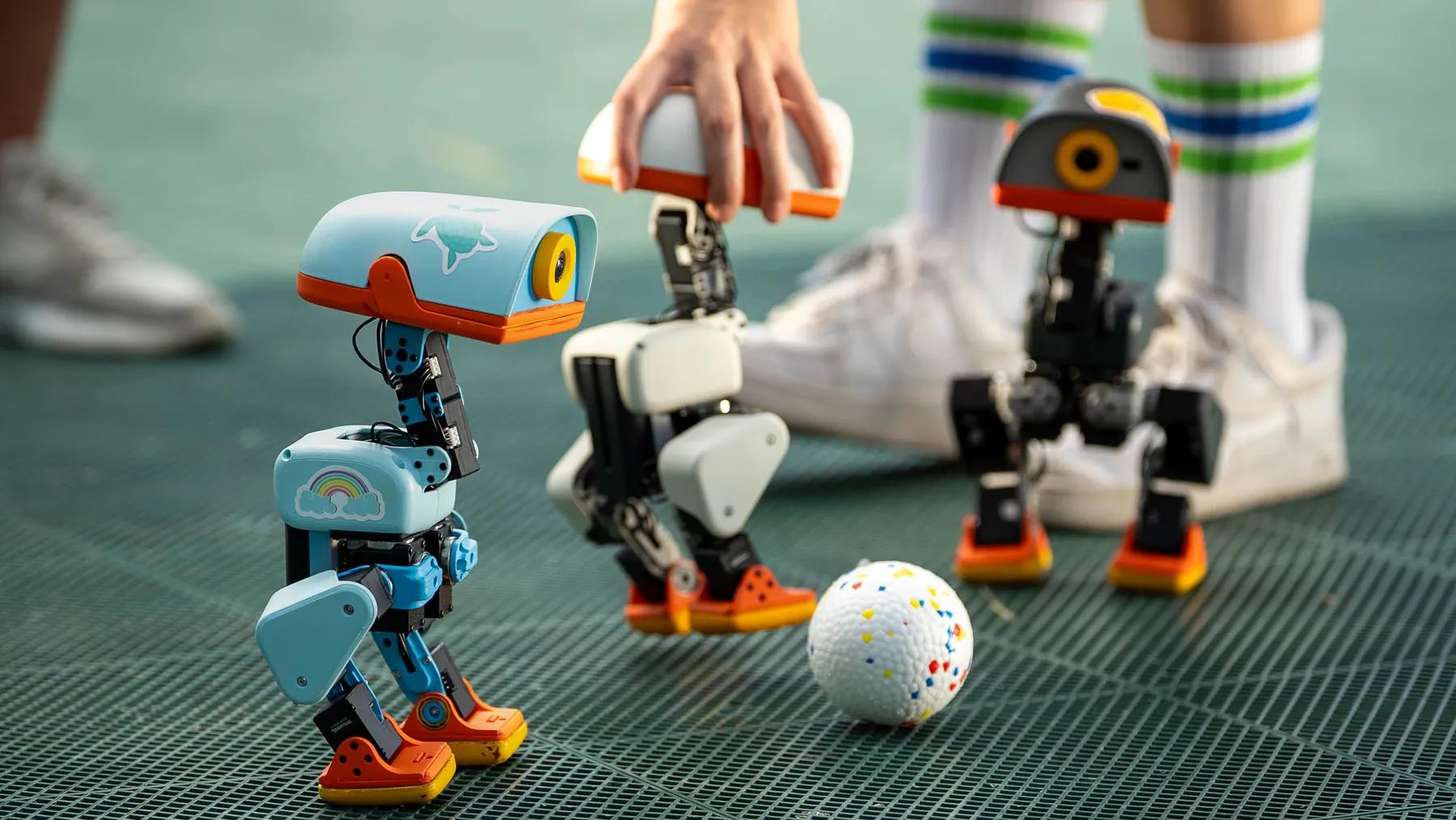
Pollen describes the robot itself as everything needed to start playing on day one. (Pollen Robotics)
So there is no requirement to immediately buy a development kit just to make the robot useful.
That is good.
It means the actual entry price is genuinely close to the advertised number.
But only if the base package is enough for you.
Then Taxes and Shipping Arrive
The $399 price is explicitly before taxes and shipping.
That means your checkout total depends on where you live.
Pollen's current store policy says applicable taxes are calculated at checkout, and shipping costs are also shown before payment is confirmed.
For US and European customers, MicroDuck is fulfilled from Pollen's warehouses in the United States or France respectively, while the company notes that some duties may apply depending on the order and destination. (Pollen Robotics Shipping Policy)
So the first simple calculation is:
$399 is the product price, not the guaranteed final amount charged to your card.
That is worth remembering when comparing MicroDuck with a product advertised at a slightly higher but more inclusive price.
You Probably Do Not Need Every Optional Pack
This is where it is easy to accidentally inflate the price.
Pollen currently offers three optional MicroDuck packs:
Charger Pack
$39
Includes:
- dual charger
- two additional batteries
Accessory Pack
$39
Includes:
- laser pointer
- NFC polaroid
- two rollers
- ball
- ten NFC tags
Dev Pack
$119
Includes:
- three spare motors
- five motor cables
- two additional batteries
- dual charger
- ten NFC tags
- Hugging Face credit
- screwdriver
- spare screws
These are optional add-ons.
The robot itself does not require all three.
Pollen explicitly describes the base robot as everything needed on day one, while these packs add play equipment, spare parts, charging capacity, and development hardware. (Pollen Robotics)
That means the sensible starting point for most buyers is not:
$399 + $39 + $39 + $119
It is:
$399 first.
Then add hardware when you have a reason.
What Happens If You Buy Everything?
The simple math is:
MicroDuck          $399
Charger Pack        $39
Accessory Pack      $39
Dev Pack           $119
------------------------
Subtotal           $596
That is before taxes and shipping.
So a fully expanded setup is roughly:
$596 + taxes + shipping
The important part is not the number itself.
It is what that extra $197 is buying.
You are not getting a fundamentally different robot.
You are getting:
- more batteries
- better charging convenience
- spare motors and cables
- development tools
- rollers
- a ball
- NFC tags
- other accessories
For a developer or heavy user, that can make sense.
For someone who simply wants to see whether they enjoy owning a little robot, it is probably unnecessary on day one.
The Charger Pack Is Mostly a Convenience Cost
The Charger Pack is probably the easiest add-on to understand.
It gives you two additional batteries and a dual charger.
That changes the ownership experience rather than the robot's fundamental capabilities.
If you use MicroDuck heavily, additional batteries let you keep experimenting instead of constantly waiting for a battery to recharge.
But that is convenience, not capability.
You do not need the pack to discover whether the robot is interesting.
So I would categorize the Charger Pack as:
quality-of-life spending.
Useful.
Not essential.
The Accessory Pack Is Different
The Accessory Pack changes what you can actually do.
The current pack includes two rollers, a ball, a laser pointer, and NFC-related accessories.
Those are not just spare parts.
They create additional interaction possibilities.
The rollers change locomotion.
The ball creates a physical object for the robot to interact with.
The NFC tags provide another way to connect physical objects with software behavior.
That means the Accessory Pack is closer to:
experience expansion
than:
hardware maintenance.
Whether it is worth $39 depends almost entirely on whether those interactions appeal to you.
The Dev Pack Is the Most Interesting Add-On
The Dev Pack is also the easiest one to buy for the wrong reason.
At $119, it sounds like the obvious choice for anyone interested in the robot's software.
But not every developer needs it immediately.
Its value comes from what it lets you do physically:
- keep spare motors available
- replace cables
- have extra batteries
- charge multiple batteries
- work with NFC tags
- keep basic repair tools nearby
That makes it more relevant to someone who expects to spend time experimenting with the robot.
It makes less sense for someone who plans to play with the stock behaviors and stop there.
The key distinction is:
Are you buying the Dev Pack because you know you need it, or because the word "Dev" makes it sound necessary?
Those are very different purchases.
The Cheapest Way to Own a MicroDuck
For a normal owner, I think the best starting configuration is surprisingly simple:
MicroDuck only.
Start with the base robot.
Use the controller.
Try the seven trained behaviors.
See whether you enjoy the physical interaction.
Then decide what is missing.
If you want longer sessions:
buy the Charger Pack.
If you want more physical activities:
buy the Accessory Pack.
If you actually start developing and experimenting:
consider the Dev Pack.
This is better than buying everything at once because your actual usage tells you what the robot is worth to you.
Then There Is the Cost Nobody Lists: Your Computer
This is where the $399 headline becomes misleading for a particular type of buyer.
If you only want to play with MicroDuck, your cost can remain close to the hardware price.
If you want to train new behaviors, the calculation changes.
Pollen's open software stack includes simulation and reinforcement-learning tooling, and the company's workflow is based around training policies in simulation before deploying them to the physical robot. (Pollen Robotics)
That means you are also buying into a software development workflow.
Your computer becomes part of the system.
You may need:
- enough storage
- enough memory
- enough compute for your experiments
- development tools
- time to configure the environment
- possibly additional cloud compute for heavier training jobs
There is no universal dollar figure here.
It depends on what you already own and how ambitious your experiments are.
For some people, the computer they already have is enough.
For others, the robot may become the reason they start spending money on development hardware.
And Then There Is the Cost of Learning
This is the part people rarely put into a product comparison.
An open physical AI platform is not the same thing as a smart speaker.
You may need to understand:
- robotics basics
- control
- simulation
- reinforcement learning
- robot software
- deployment
- debugging
You do not need all of this to enjoy MicroDuck.
But you need some of it if you want to go beyond the shipped behaviors.
That means the real development cost may be measured in hours rather than dollars.
You could spend:
five hours
learning enough to make one small experiment.
Or:
fifty hours
trying to build something substantially different.
The robot itself does not become more expensive.
Your commitment does.
This Is Where Physical AI Is Different
A normal AI application can be incredibly cheap to experiment with.
You install it.
You call an API.
You change a prompt.
You test again.
Physical AI has another layer:
the machine has to actually do something.
That means:
- the hardware can fail
- batteries run out
- motors wear
- objects move unexpectedly
- the robot can fall
- the environment matters
The physical world introduces friction.
But that friction is also the point.
It is what makes the product interesting.
A robot that exists entirely inside a simulator can be easier to work with.
A robot that physically walks across your desk gives your software somewhere real to go.
The Opportunity Cost Matters Too
There is another way to think about the $399.
You are not only asking:
"Is MicroDuck worth $399?"
You are asking:
"Is MicroDuck the best place for me to put $399 into physical AI?"
That is a harder question.
At the same price point, another robot might offer:
- better conversation
- better movement
- better sensors
- a more mature software ecosystem
- a different physical form
- better compatibility with the AI services you already use
And the category is still developing.
MicroDuck is one approach to physical AI.
It is not the entire category.
That is why MeraBots will keep comparing different physical AI products rather than treating one robot as the answer to every user.
The body matters.
The software matters.
The AI stack matters.
The intended use matters.
There Is Also a Non-Monetary Cost
A desktop robot takes physical space.
It becomes something you have to store.
You need somewhere to charge it.
You need a place where it can move.
You may need to keep cables and accessories together.
You may need to clean its workspace.
You may eventually need replacement parts.
These are small costs.
But physical products accumulate small costs in a way software does not.
That is one reason the most useful hardware reviews should talk about ownership rather than just specifications.
The Real Cost Has Four Layers
I think it is more useful to divide MicroDuck's cost into four layers.
Layer 1: Entry cost
$399
This gets you the base robot and the essentials.
Layer 2: Ownership cost
Taxes
Shipping
Additional batteries
Chargers
Optional accessories
Replacement parts
These are the costs that appear after the headline price.
Layer 3: Development cost
Computer
Storage
Cloud compute
Tools
Accessories
This matters much more if you want to train and build.
Layer 4: Time cost
Learning
Experimenting
Debugging
Training
Building
This is potentially the largest cost for a developer.
And it is also potentially the most valuable one.
Because if you spend twenty hours learning something new about physical AI, you did not just spend twenty hours operating a robot.
You gained twenty hours of experience with a new computing medium.
So What Is the "Real" Price?
There is no single number.
For one buyer:
$399 + tax + shipping
For another:
$399 + tax + shipping + Charger Pack
For another:
$399 + tax + shipping + Accessory Pack
For a developer:
$399 + development hardware + optional Dev Pack + a large amount of time
And for someone who buys every optional pack:
$596 + tax + shipping
before considering anything else.
That is why I do not think "MicroDuck costs $399" is the complete story.
It is the entry point.
Not necessarily the total investment.
But the Extra Cost Can Be Worth It
There is nothing inherently bad about spending more than $399.
The question is what the extra money buys you.
Another battery can buy more time.
A charger can remove friction.
The Accessory Pack can create new activities.
The Dev Pack can make experimentation easier.
Development hardware can help you build.
Those can all be legitimate reasons to spend more.
The mistake is spending first and figuring out the reason later.
My Take
MicroDuck's $399 starting price is genuinely interesting.
It gives people a relatively low-cost entry point into a physical AI platform that combines real hardware with an open software stack.
But I would not treat $399 as the number that settles the purchase decision.
The better question is:
What kind of owner are you going to become?
If you only want to play:
$399 may be close to your real cost.
If you want longer sessions:
add the charging hardware you actually need.
If you want more activities:
add the accessories that create those activities.
If you want to build:
expect the real investment to become your development environment and your time.
That last part is worth taking seriously.
Because the biggest expense in physical AI may not be the robot.
It may be the hours you spend figuring out what the robot could become.
And that is also where the upside is.
A $399 robot that remains exactly what it was on day one is one kind of product.
A $399 physical platform that teaches you how software can give a machine new capabilities is a completely different proposition.
That is the version of MicroDuck I find more interesting.